Sign in
Home
How to Standardize LNP Screening Across Teams and Sites
By Joshua Gomes
Standardize LNP screening across teams and sites by defining shared formulation conditions, implementing them through platform-specific protocols, and matching input preparation, sample handling, and measurement. Include a common reference formulation in each run to assess whether results remain comparable across operators, instruments, and datasets.
Make screening results comparable across sites
As LNP screening expands beyond one scientist, the same formulation may be prepared by different operators, on different liquid handlers, and in different labs. Changes in mixing, reagent preparation, or sample handling can affect measured readouts like particle size, polydispersity index (PDI), and encapsulation efficiency. When those conditions differ between sites, teams can struggle to determine whether a promising result will hold when another lab prepares the formulation.
A shared method establishes the conditions needed to compare findings across sites. When one site identifies a promising formulation, another should be able to reproduce the preparation and assess whether the finding holds. To make that possible, teams need to agree on what stays constant, what the screen intentionally varies, and how each site checks that the workflow is performing as expected.
Build that agreement around three requirements:
- Shared formulation conditions: Define the mixer design, input composition, volumes, and flow conditions used for each comparison.
- Consistent execution and handling: Specify how each platform prepares, formulates, collects, and processes samples.
- A reference in every run: Prepare a defined formulation alongside candidates to help identify changes in the workflow.
Write input preparation and sample handling into the method
Consistent mixing conditions are one part of a comparable workflow. Two sites can use the same lipid composition but prepare stocks at different concentrations, handle RNA differently, or measure samples at different stages of processing. These differences can affect the results even when the formulation step is unchanged.
The method should therefore cover the full path from stock preparation to the reported result. Specify which conditions must match and record material or handling differences that could help explain a shift between sites.
| Workflow step | What the shared method should specify |
|---|---|
| Stock preparation | Target concentrations, preparation procedure, storage conditions, and relevant freeze-thaw limits. |
| Material selection | Lipid and RNA identities, with reagent and consumable lots recorded for each run. |
| Dilution after formulation | Diluent, target dilution, and the allowed interval between formulation and dilution. |
| Buffer exchange and storage | Processing procedure, storage conditions, and allowed hold times. |
| Characterization | Processing stage, sample age, analytical method, and reporting conventions. |
On-deck collection and dilution allow teams to program the sequence and timing of these steps. For steps performed off deck, specify when samples should be transferred, how they should be stored, and when processing should resume. Record the processing stage with each result so teams can distinguish measurements taken immediately after formulation from those taken after buffer exchange.
Train every operator on the same workflow
A method is easier to transfer when another operator can follow it without relying on unwritten habits. Differences in source-plate preparation, labware placement, protocol selection, or sample recovery can persist even when teams share the same equipment.
Automating repeated dispensing, formulation, and collection steps lets training focus on preparing the run, checking setup, and handling samples afterward. A common application guide should explain those responsibilities, with platform-specific instructions wherever the equipment requires them.
| Operator responsibility | What every site should teach |
|---|---|
| Prepare inputs | Follow the stock-preparation procedure and confirm sample identities and source-plate positions. |
| Set up the deck | Use the specified labware, tips, consumables, and platform-specific layout. |
| Select the method | Confirm the protocol version and run parameters before starting. |
| Transfer samples downstream | Preserve sample identities and follow the agreed processing and storage schedule. |
Use a guided run to confirm that a new operator can follow the procedure and recognize when a step has not gone as expected. Incorporate recurring questions and setup issues into the shared instructions so each site benefits from the others’ experience.
Include a defined reference formulation in every run
Prepare the reference formulation as a sample in every screening run, alongside the candidates. Define its lipid composition, RNA or other cargo, input concentrations, volumes, and processing conditions in the shared method. Assign the reference a sample identifier and a position in the run plan, and follow the same procedure to prepare its inputs at every site.
In an automated workflow, specify where the reference inputs are loaded and include their formulation and collection in the programmed sequence. Apply the same downstream handling and measurement procedures used for the candidates. Before comparing runs, agree on the reference readouts and acceptable ranges based on the method’s established performance and the needs of the screen.
| Reference result | What to investigate or conclude |
|---|---|
| Results remain within the agreed ranges across sites | The workflow is producing comparable reference results under the tested conditions. Use that evidence alongside candidate results and run records. |
| Results shift at one site | Check local stock preparation, material lots, protocol version, handling, and measurement conditions. |
| Results shift across several sites | Look for shared changes in reagents, preparation instructions, processing, or analysis. |
| Results shift on one liquid handler platform | Check that platform’s liquid-delivery settings, execution of the programmed sequence, and sample handling. |
A shift in the reference gives teams a starting point for troubleshooting. Review the affected runs to identify what changed and determine whether candidate results need to be repeated. Agreement across sites supports comparison for the reference conditions tested; other lipid chemistries or cargos may respond differently. Confirm important candidate findings under matched conditions before using them to guide the next stage of development.
For guidance on comparing independent preparations within and across runs, see How to Measure Reproducibility in an LNP Screening Workflow.
Standardize formulation on the liquid handlers your teams already use
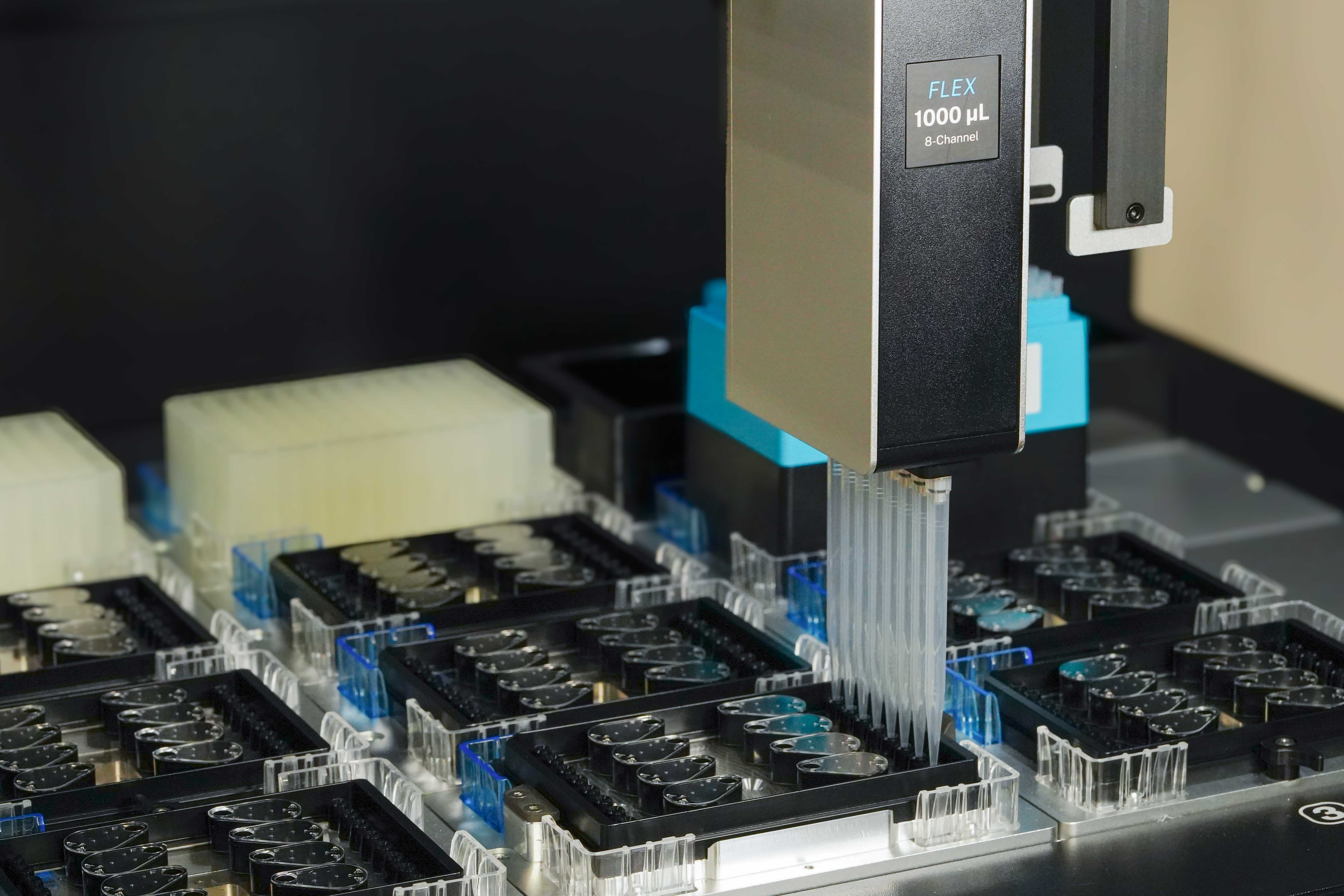
Teams can use the same LNP Screening Array on standard liquid handlers, including Hamilton, Tecan, Opentrons, Formulatrix, and Dynamic Devices. Platform-specific protocols adapt the workflow to each system’s pipetting technology, so labs can standardize the formulation device while continuing to use their existing liquid handlers.
Using the same device across sites keeps the mixer design consistent and brings formulation and collection into a programmable workflow.
| Cross-site requirement | How the LNP Screening Array addresses it |
|---|---|
| A common mixing geometry | The same microfluidic mixer design is used across supported platforms. |
| A defined flow rate ratio | The device establishes a fixed 3:1 aqueous-to-organic flow rate ratio. |
| A fresh mixing path | Each formulation uses a new micromixer, removing inter-formulation mixer cleaning from the workflow. |
| Formulation and collection on deck | The liquid handler can recover each sample directly from the array and carry out subsequent handling steps. |
Confirm compatibility with each site’s liquid handler configuration, deck layout, and labware. Then assess whether the transferred method produces comparable results using the formulations and readouts relevant to the screen. Continue preparing the shared reference in each run to monitor consistency as additional operators and sites adopt the workflow.
See How the LNP Screening Array Works for the device architecture and platform integration.
Establish your method before expanding across sites
Evaluate the LNP Screening Array using your own formulations and liquid handler to establish a workflow for your team. Get applications support to configure the platform-specific protocol and assess reference results before transferring the method to another operator or site.