Sign in
Home
What Technical Support Comes With the LNP Screening Array?
By Joshua Gomes
Every LNP Screening Array evaluation comes with hands-on technical support from our applications team. We configure the automation protocol for your liquid handler, install it on your deck, and run the first formulations alongside your operators.
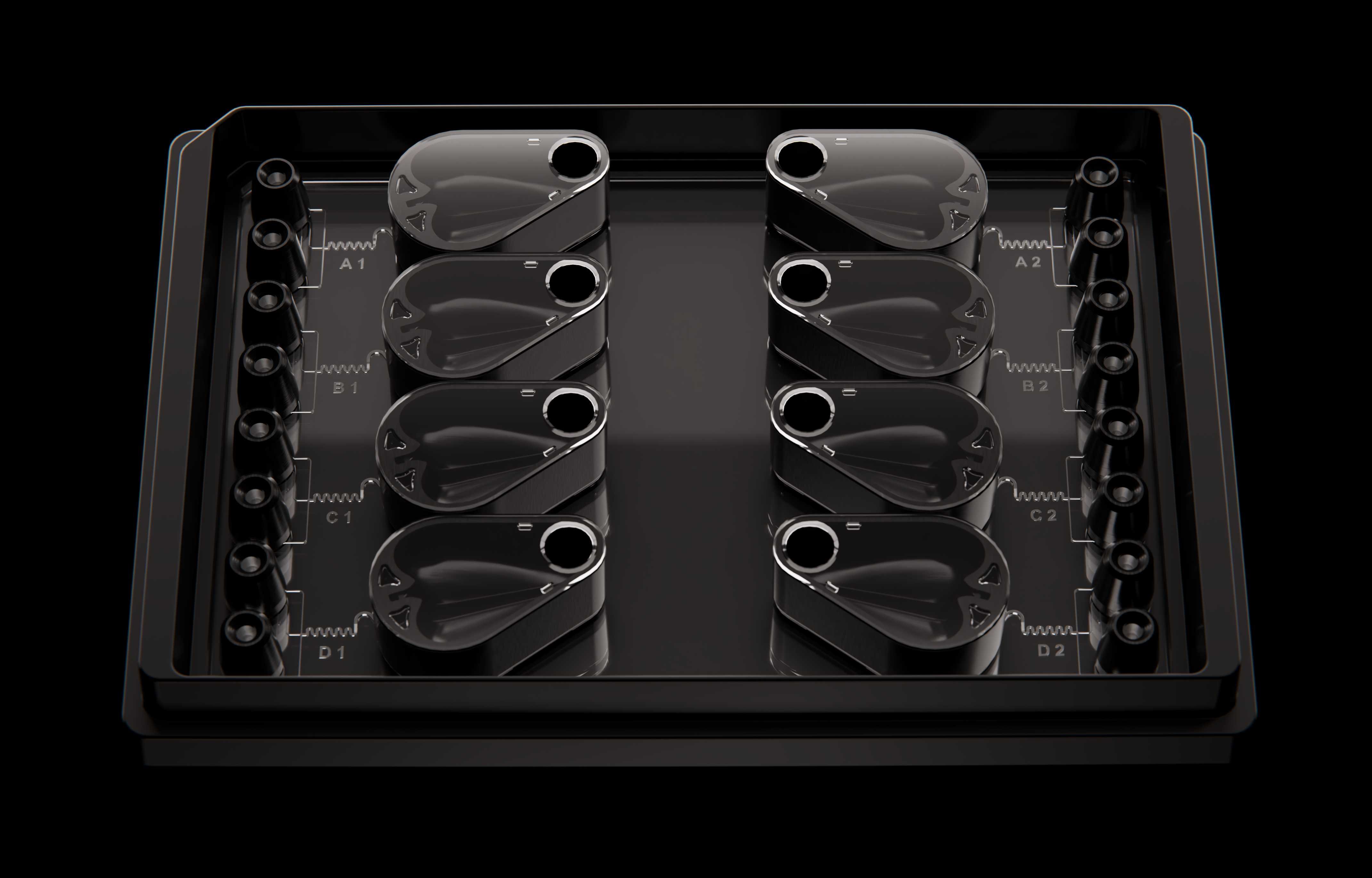
Start with a protocol prepared for your liquid handler
Your team starts the evaluation with a method configured for your liquid handler. Our platform-specific protocols account for how air-displacement, positive-displacement, and pressure-controlled pipetting each generate and control flow, so the method is matched to your liquid handler before the first formulation.
We build your evaluation plan around three setup parameters.
| Setup considerations | How it shapes your evaluation |
|---|---|
| Liquid handler make and model | Matches dispensing, positioning, and timing to your pipetting technology |
| Target formulations + volumes | Sets the volume the protocol dispenses and recovers for each formulation |
| Analytical readouts | Determines which results we characterize on site and review with your team |
The workflow is validated on Hamilton, Tecan, Formulatrix, Opentrons, and Dynamic Devices liquid handlers. If your lab runs another pipette-based system, contact us for a compatibility review.
Get the protocol installed on your deck
Our applications team works alongside your operators on your own formulations, so the first data from your evaluation reflects the conditions relevant to your program screens. During the first run, your team operates the liquid handler while we guide each step.
| Installation step | What we do |
|---|---|
| Deck setup | Position the deck adapter, LNP Screening Arrays, and input and output plates |
| Protocol installation | Load the automation protocol onto your liquid handler and confirm your operators can launch it from their existing software |
| Tip check | Confirm your tips form a pressure-tight seal with each pipette interface and engage the LNP Screening Array as intended |
Operator training starts during installation on the instrument your team uses every day, and we provide an application guide as a step-by-step reference.
Run your first formulations with our applications team
Our applications team works alongside your operators on your own formulations, so the first data from your evaluation reflects the conditions relevant to your program screens. During the first run, your team operates the liquid handler while we guide each step.
| First-run step | Your operators | Our applications scientists |
|---|---|---|
| Input preparation | Prepare lipid and aqueous inputs in the source plate | Confirm the plate layout matches the protocol |
| Method execution | Run the method through loading, formulation, and collection | Train operators at each step |
| Troubleshooting | Flags anything unexpected | Diagnose fluid movement or sample recovery issues and adjust the method on site |
Get characterization data from your first run
Once the formulations are collected, they are transferred to a DLS instrument for on-site characterization. Our application scientists help you characterize your first-run formulations using dynamic light scattering (DLS), so particle size and polydispersity index (PDI) data are available during the visit. Encapsulation efficiency, in vitro expression, and other biological or characterization readouts can be run as a follow up to match the assays your lab already uses.
The table below shows how each readout is generated and when you review it.
| Readout | How it is generated | When you review |
|---|---|---|
| Particle size and PDI | On-site DLS by our application scientists | During the visit |
| Consistency across formulations | On-site DLS across repeated formulations | During the visit |
| Encapsulation efficiency | Your established assay | During data review |
| In vitro and biological results | Your established assays, included based on your program | During data review |
| Side-by-side comparison | Your current formulation method run alongside the LNP Screening Array | During data review |
Your team sets the success criteria against your current benchmarks, and our application scientists review every result against them with you. For guidance on defining those criteria, see How to Evaluate an LNP Screening Platform.
Keep the automation protocol for recurring screening
The finished automation protocol stays with your team, so the method refined during the evaluation becomes the method for your recurring screening campaigns. After the visit, our applications scientists continue to support your operators as your screening needs evolve.
| Ongoing support | What we provide |
|---|---|
| On-site and remote support | Help diagnose run, fluid movement, or sample recovery issues as your team begins operating the workflow independently |
| Method updates | Adapt the protocol when new formulation conditions or process steps enter your screen |
What your team has after the evaluation
The goal of the evaluation is to leave your team with a working method, trained operators, and first-run data from the workflow you intend to use.
| Evaluation outcome | What your team has in place |
|---|---|
| Automation method | A platform-specific protocol configured and refined on your liquid handler |
| Operator workflow | Operators trained to set up, launch, and run the method, with an application guide for reference |
| First-run data | Particle size and PDI results from formulations generated during the evaluation, reviewed against your success criteria |
| Ongoing support | Direct access to our applications team for troubleshooting and method updates as your screening workflow evolves |
The LNP Screening Array keeps reagent delivery, microfluidic formulation, and sample collection on your liquid handler. Analytical characterization then takes place on the instruments your lab already uses.
For a step-by-step look at the device, see How the LNP Screening Array Works.
Plan your evaluation
Our application scientists bring the LNP Screening Array to your lab and support your team through its first formulations on your own liquid handler.